I Froze My Credit. It Took 15 Minutes. It's the Best Security Move I've Made.
A credit freeze stops anyone — including you — from opening new credit in your name. If someone has your Social Security number, they can open credit cards and take out loans. A freeze blocks that at the source. Lenders can't pull your credit report, so they won't approve the application.
It's free. It takes 15 minutes. And it's the single most effective thing you can do to prevent identity theft.
Not credit monitoring. Not identity theft insurance. Credit freeze. Those other services tell you after the damage is done. A freeze prevents the damage.
What a Credit Freeze Actually Does (and Doesn't)
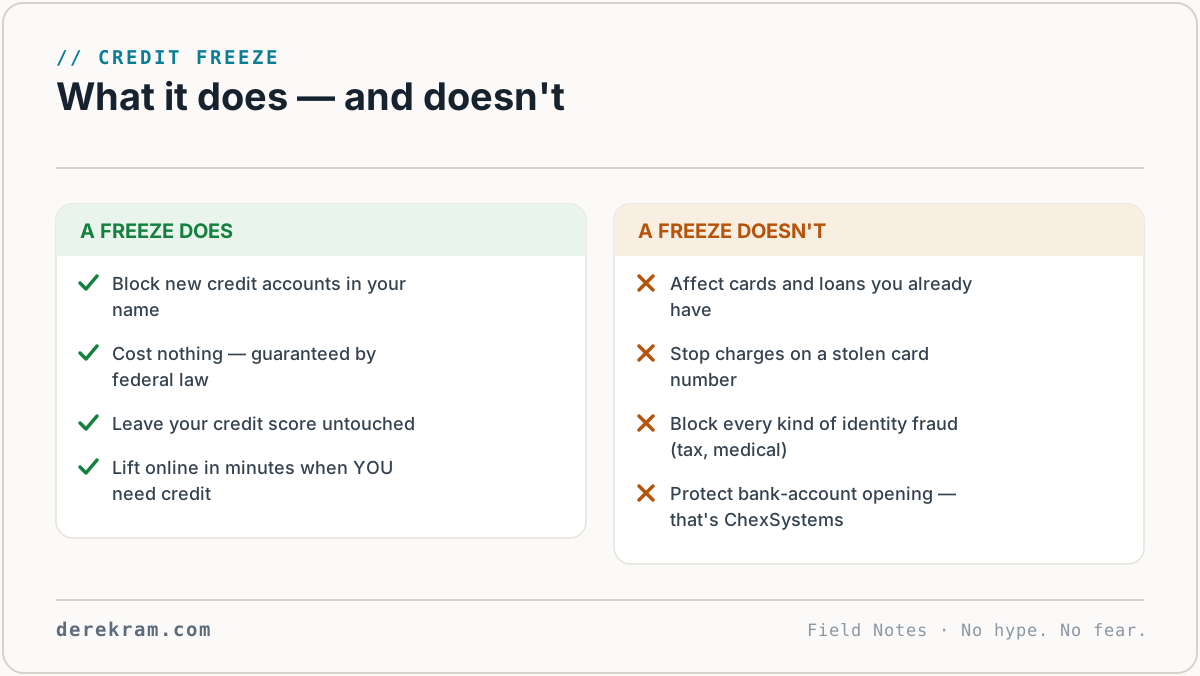
What it does:
What it doesn't do:
Think of it like a deadbolt on the front door. It doesn't stop every kind of break-in. But it stops the most common one.
You Need to Freeze at All Three Bureaus
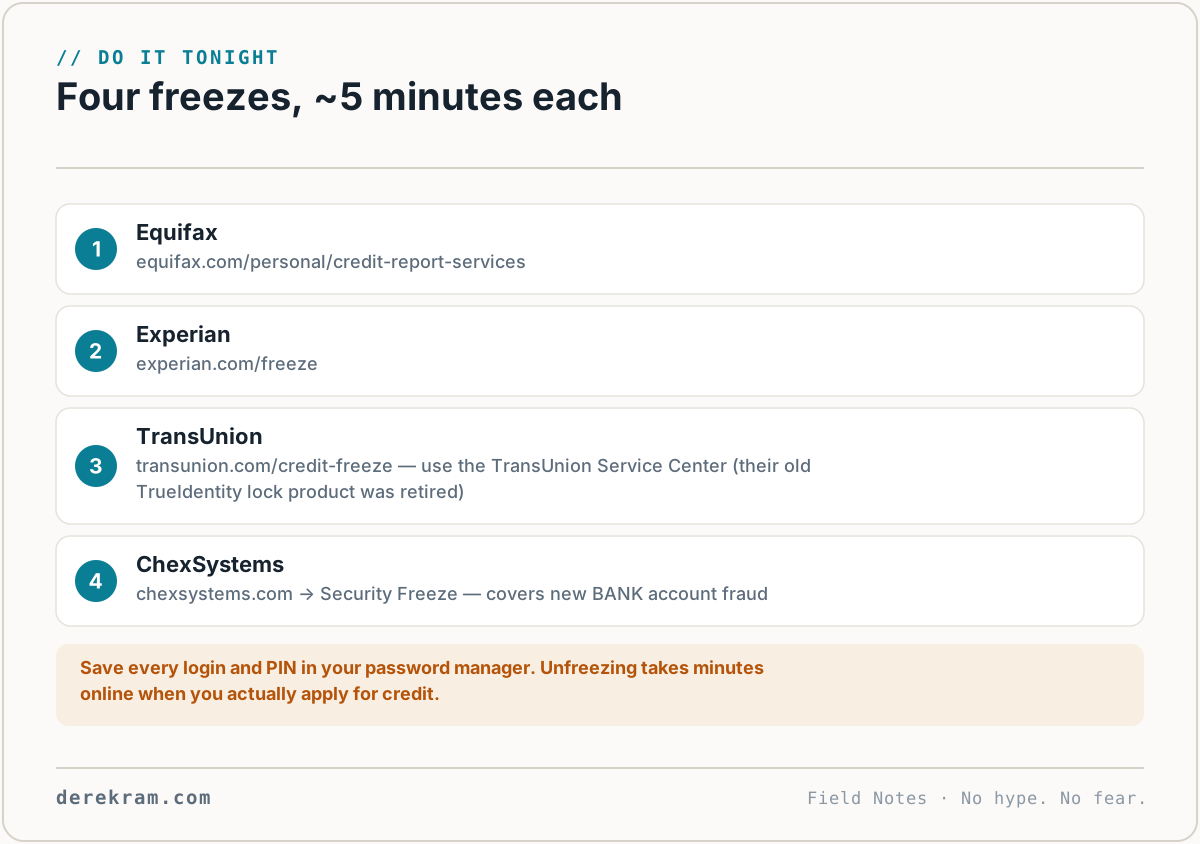
There are three credit bureaus: Equifax, Experian, and TransUnion. A freeze at one doesn't apply to the others. You need to freeze all three.
They each have their own website. They each require their own account. It's annoying, but it's 5 minutes per bureau and you do it once.
Here's exactly what to do.
Equifax
1. Go to [equifax.com/personal/credit-report-services](https://www.equifax.com/personal/credit-report-services/)
2. Click "Place a security freeze"
3. Create an account or log in
4. Follow the prompts to place the freeze
5. Save the PIN they give you. You'll need it to unfreeze. (Write it down. Store it in a password manager. Don't lose it.)
Experian
1. Go to [experian.com/freeze](https://www.experian.com/freeze/)
2. Click "Add a security freeze"
3. Create an account or log in
4. Follow the prompts
5. Save the PIN
TransUnion
1. Go to [transunion.com/credit-freeze](https://www.transunion.com/credit-freeze/)
2. Create an account (use the TransUnion Service Center — their old TrueIdentity lock product was retired in 2025)
3. Navigate to the freeze section
4. Place the freeze
5. Save the PIN
That's it. Three websites. Three accounts. Three freezes. Fifteen minutes.
What About the "Lock" Services They Push?
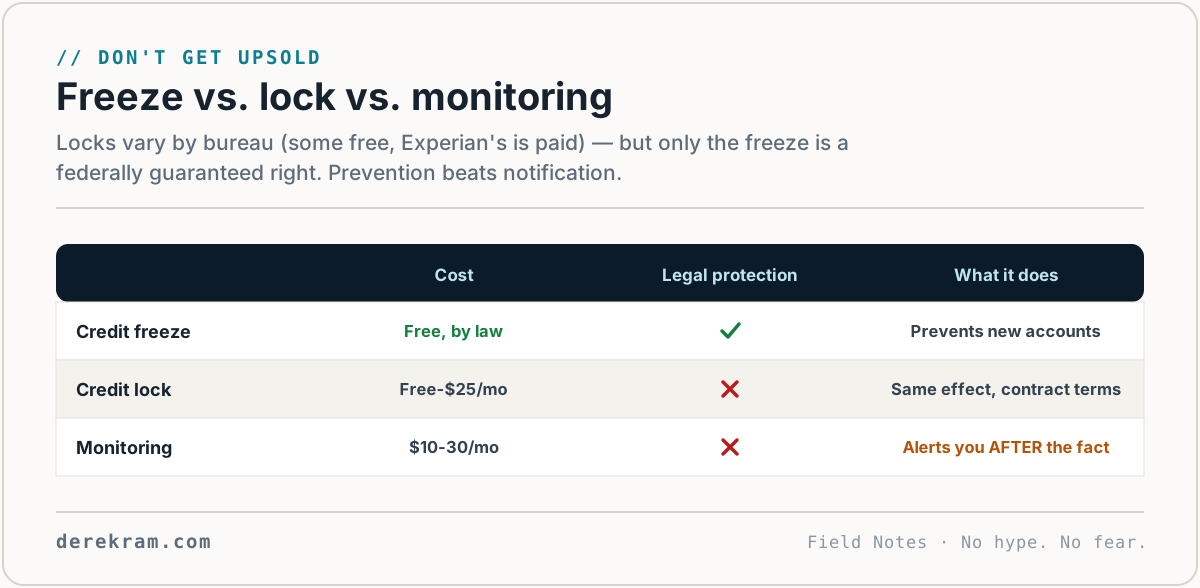
While you're on these sites, they'll try to sell you "credit lock" services. "Lock" and "freeze" sound similar but they're different.
A freeze is free and governed by federal law. If something goes wrong, you have legal recourse.
A lock is a contractual product, not a legal right — and at Experian it's a paid one. The bureau can change the terms whenever they want.
They'll make the lock button bigger, brighter, and easier to find. That's intentional. They make money on locks. They don't make money on freezes.
Find the freeze option. Ignore the lock offers. You're looking for the words "security freeze" specifically.
What Happens When You Actually Need Credit
You're not frozen forever. When you need to apply for a loan, a credit card, or an apartment, you lift the freeze temporarily.
Go back to each bureau's website (or call them). You can:
Temporary lifts are the right move. Specify the date range or the specific creditor you're authorizing. After the window closes, the freeze goes back on automatically.
This takes about 5 minutes per bureau. A small inconvenience for massive protection.
Freeze Your Kids' Credit Too
Child identity theft is common because kids have clean records. Someone opens credit in a child's name and it isn't discovered until they apply for their first credit card or student loan at 18.
Freezing a child's credit is slightly more work — you need to mail in proof of your identity and your relationship to the child. But it's worth it.
Each bureau has a "minor child freeze" process. Search "[bureau name] child freeze" for instructions.
One More Thing: ChexSystems
ChexSystems is the credit bureau for bank accounts. If someone opens a bank account in your name using your Social Security number, ChexSystems is where banks check.
Freeze it too: chexsystems.com → Security Freeze.
This prevents checking account fraud, which is often the first move after identity theft.
The Bottom Line
Credit monitoring tells you someone opened an account in your name. A credit freeze stops them from opening it.
One of these prevents the problem. The other tells you it already happened.
Spend 15 minutes. Freeze all three bureaus. Freeze ChexSystems. Save the PINs.
Then forget about it until you need a loan. When that day comes, unfreeze for a week, get your loan, and it goes back on.
Get the Credit Freeze Step-by-Step Guide — direct links to all three bureaus' freeze pages, ChexSystems, and a PIN storage card. Free.
[Join the Digital Self-Defense list →]
Get the 5-Minute Digital Safety Checklist
Four things that make you harder to target. No jargon. No fear. Free.
Get the Checklist →